Foundation
2 pagesCreate the palette, typography, shared alignment, spacing, and controls that the rest of the page will use.
- Tokens and typeWorkshop
- The shellWorkshop
09 / ATELIER
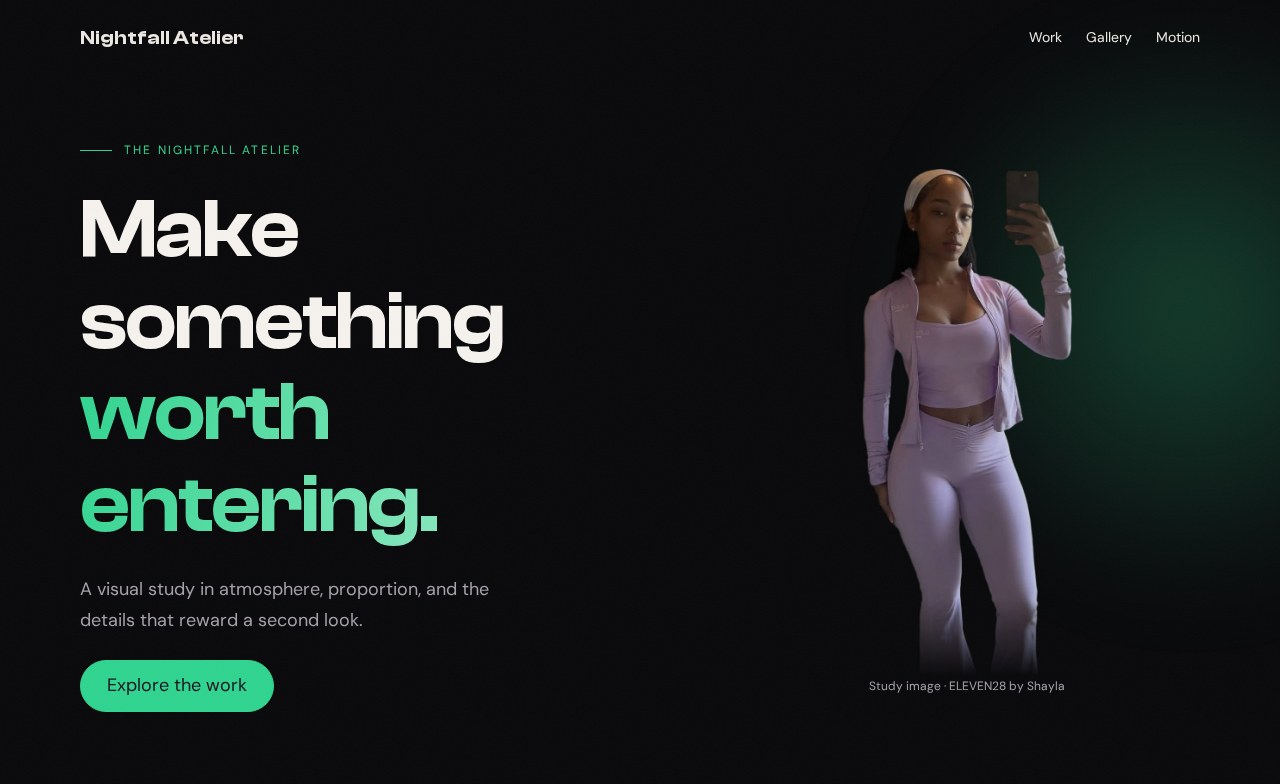
Build a polished portfolio page—and understand the CSS behind every effect. Across ten hands-on lessons, you will create dramatic typography, a glowing hero, responsive project cards, deliberate photo crops, a mobile menu, and controlled animation. Each lesson shows the result, walks through the actual stylesheet, and gives you working code to reproduce it. You will finish with one complete page you can adapt to your own work.
Bring basic HTML and CSS familiarity, a text editor, and a browser. Start with lesson 1 and keep building the same page. Every checkpoint includes starter and finished files that open locally, with no installation needed. The reference designs are introduced with screenshots and explanations as you encounter them.
WHAT YOU WILL BUILD
Create the palette, typography, shared alignment, spacing, and controls that the rest of the page will use.
Rebuild a fixed navigation bar, split hero, interactive project cards, and photo treatments with visible results and complete code.
Connect animation to real behavior, give readers control, and adjust the composition as available space changes.
Combine the working pieces, make your own visual variation, and verify the page with a mouse, keyboard, and phone-sized viewport.